
ADMS and TPMS: Two Infill Types
Cell Parameter is where every sphereneNXT structure starts, and it now offers two Infill Type options: ADMS, the default, and TPMS. TPMS stands for Triply Periodic Minimal Surface, a family of smooth, repeating surface geometries. Switching to it swaps out ADMS Type for Choose TPMS Type, with a different list of geometries to pick from.
Everything else about the workflow stays the same as it does for ADMS: the envelope needs to be imported and assigned first, and cell size and thickness still need to be set before computing.
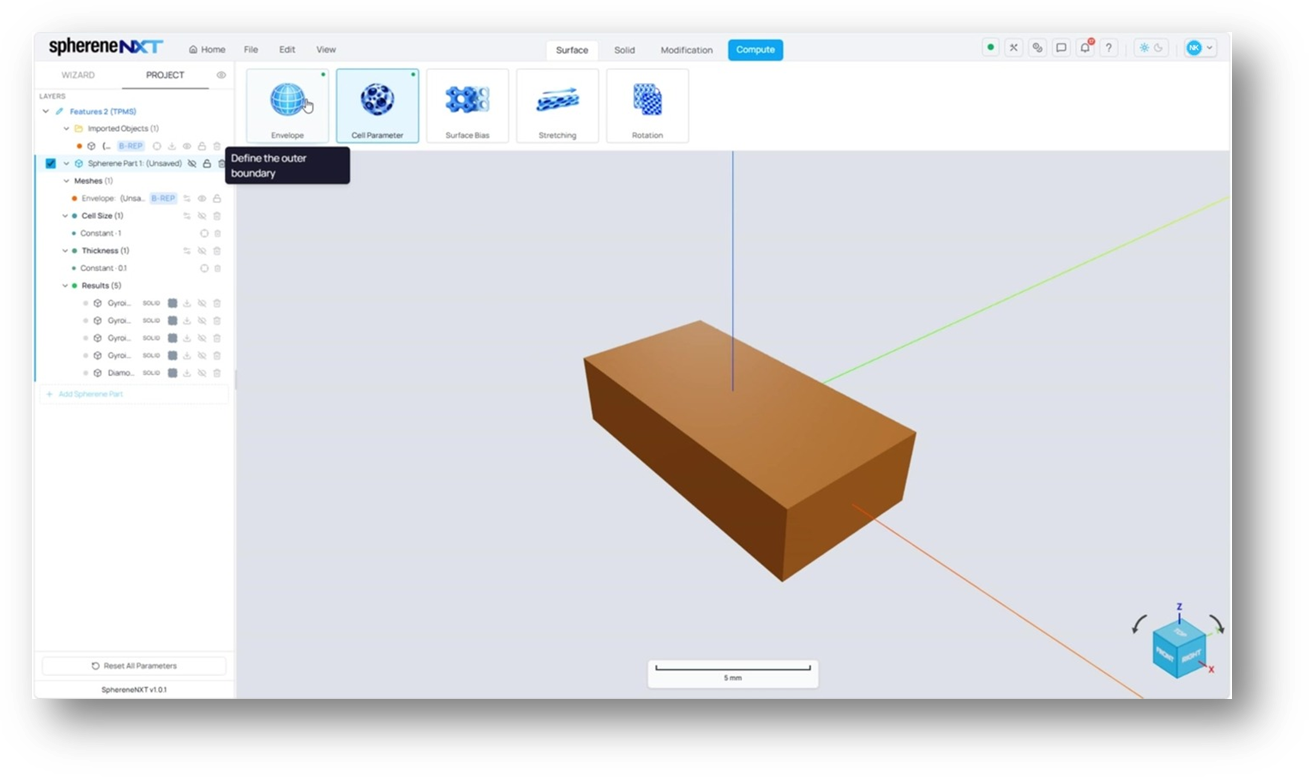
The envelope assigned, with a Cell Size of 1mm and a Thickness of 0.1mm already in place.

The Surface tab toolbar for a TPMS structure: Envelope, Cell Parameter, Surface Bias, Stretching, and Rotation. Stretching and Rotation are extra tools for TPMS only which aren't part of the ADMS toolbar.
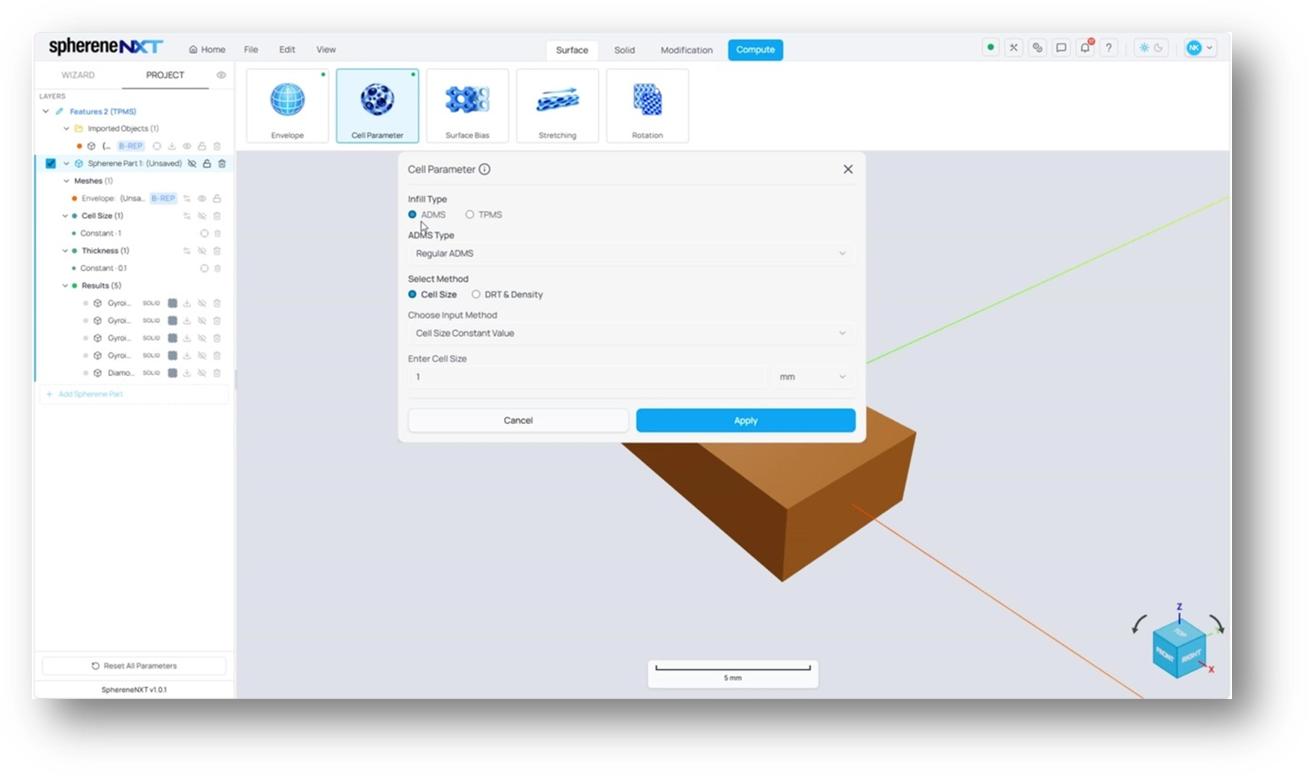
Cell Parameter with Infill Type set to ADMS, the default. Switching the radio button to TPMS changes the options below it.
Choosing a TPMS Type
Switching Infill Type to TPMS replaces ADMS Type with Choose TPMS Type, which lists eight geometries: Diamond, Gyroid, Lidinoid, Neovius, Primitive, Schoen F-RD, Schoen I-WP, and Schoen S. This example uses Gyroid, a good general purpose choice with a smooth, wavy surface.
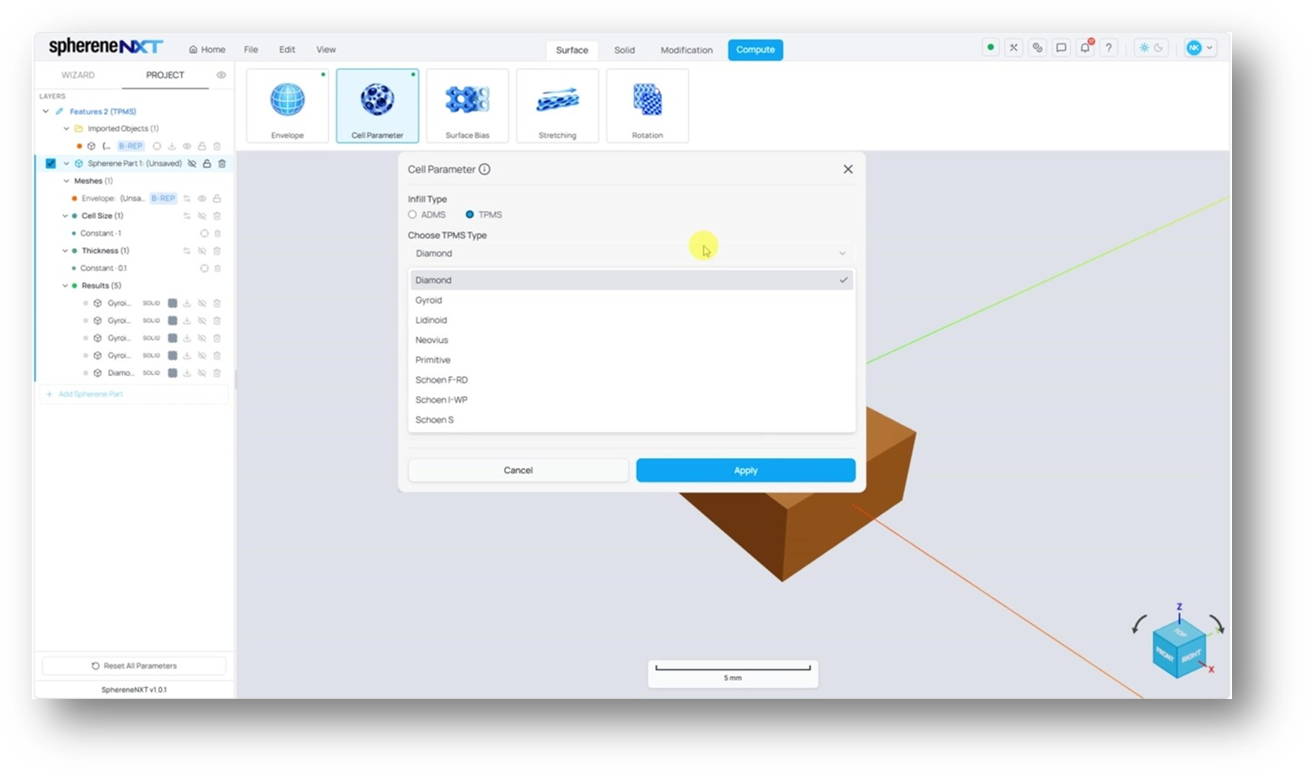
The Choose TPMS Type dropdown, listing all eight available geometries.
Keeping Structures Comparable with Equivalent Surface Area
Checking Equivalent Surface Area reveals a Cell Size Factor, calculated automatically for whichever TPMS type is selected. Gyroid gets a factor of 1.25, Diamond gets 1.5, and Lidinoid gets 2.5. The idea is that each TPMS type naturally has a different surface area at the same cell size, so this factor adjusts cell size automatically so that different TPMS types end up with roughly the same amount of surface area. That makes it fair to compare them side by side, since none of them are getting an advantage just from having more surface to begin with.
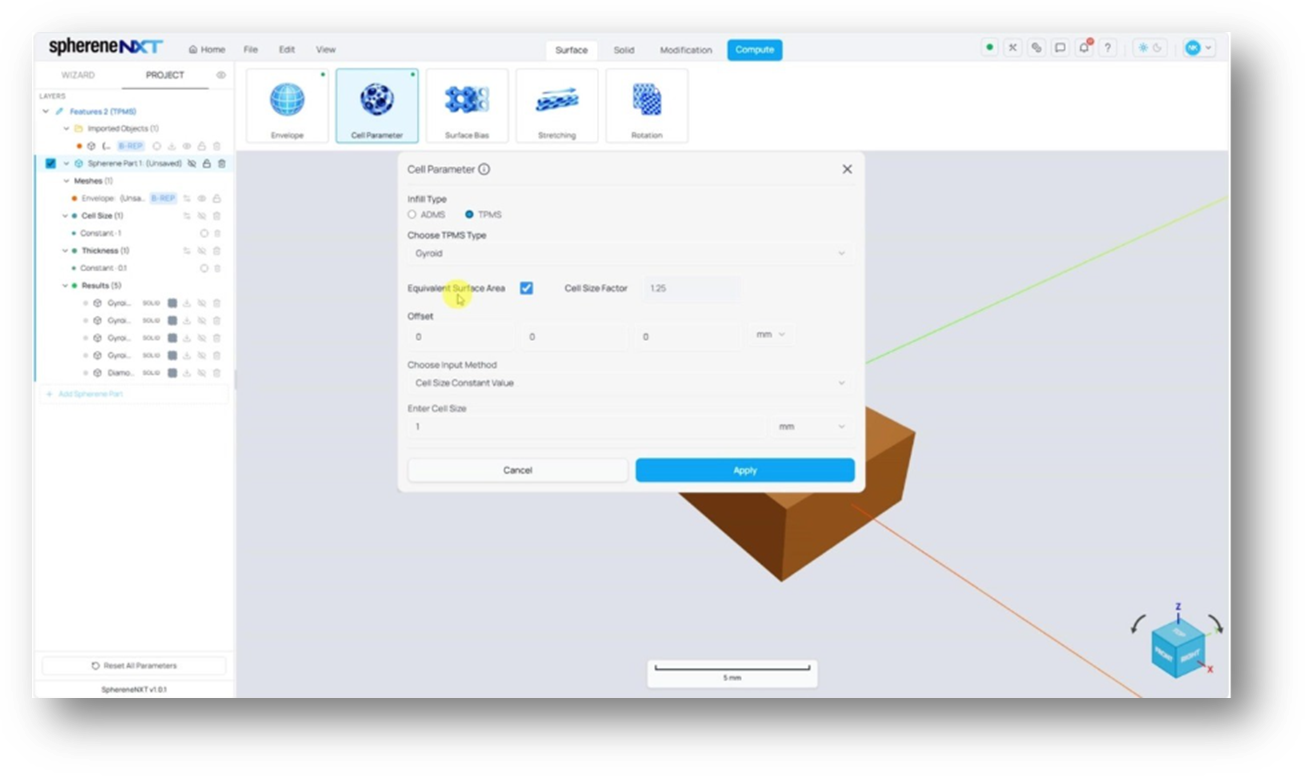
Gyroid selected as the TPMS Type, with Equivalent Surface Area checked and a Cell Size Factor of 1.25 filled in automatically.
Tip: Leave Equivalent Surface Area checked whenever you're comparing more than one TPMS type against each other. Without it, differences between structures can come from surface area alone rather than the geometry itself.
Shifting the Structure with Offset
Offset appears alongside Equivalent Surface Area and shifts the TPMS surface in the X, Y, and Z directions within the given envelope. A Gyroid computed with no offset produces one structure; the same setup with an Offset of 0.5 mm in each direction shifts the surface enough to notice, especially near the top of the part; and an Offset of 1mm shifts it further still, in a way that isn't simply double the 0.5mm result, being aware that TPMS is a periodic structure. Offset is worth experimenting with rather than calculating in advance, since the effect depends on the geometry and cell size in play.
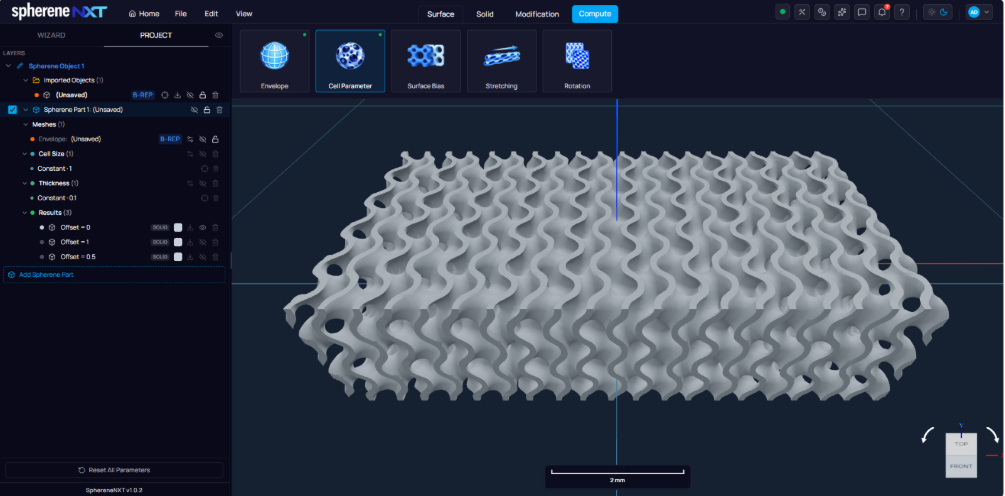
Gyroid at 1mm cell size with no offset applied.
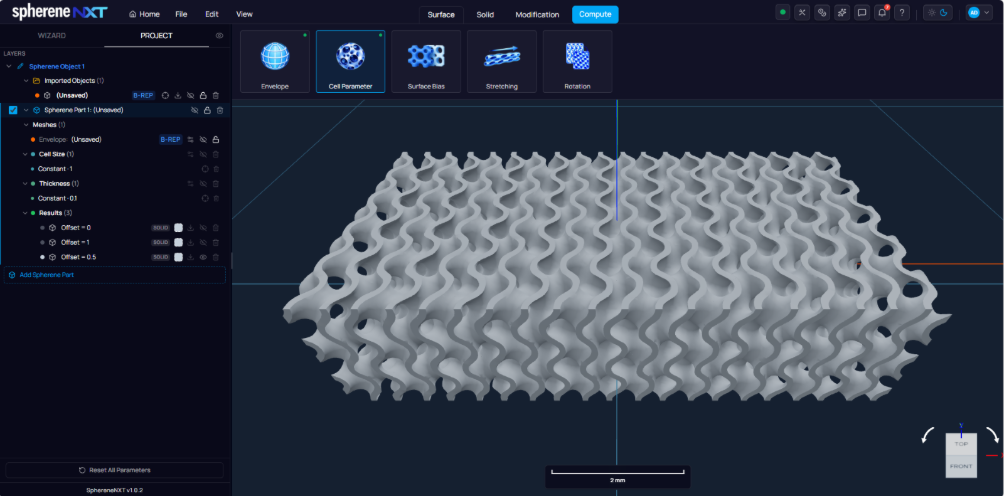
The same Gyroid setup with an Offset of 0.5mm in X direction: the surface has shifted noticeably compared to the unshifted version.
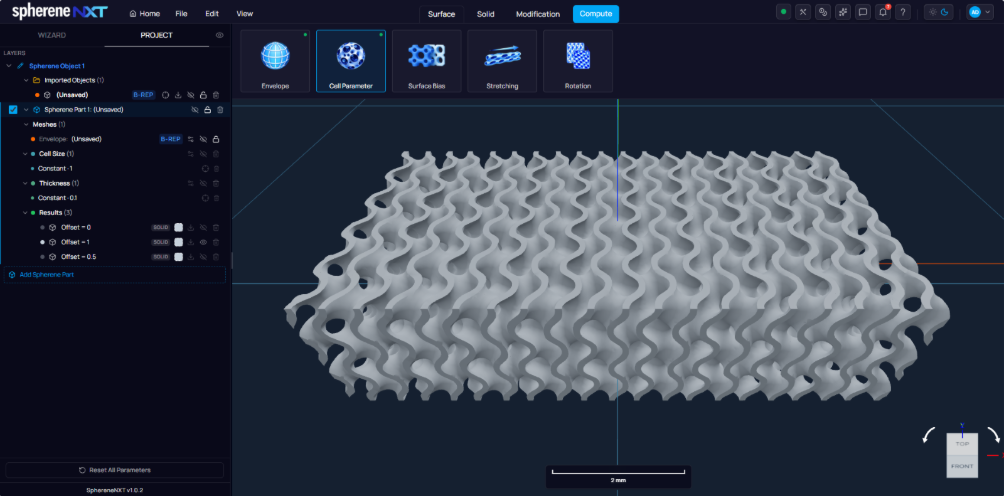
The same Gyroid setup with an Offset of 1mm in X direction: the surface has turned back to the original place.
Rotating a Structure
Rotation sits next to Cell Parameter and Surface Bias, and lets you spin a TPMS structure around any axis rather than leaving it in its default orientation. Choosing Constant Rotation as the input method reveals a row with X, Y, and Z fields defining the rotation axis, plus an Angle. Setting X to 1 and leaving Y and Z at 0 picks the X axis, and an Angle of 45 degrees rotates the local cell around the selected rotation axis.
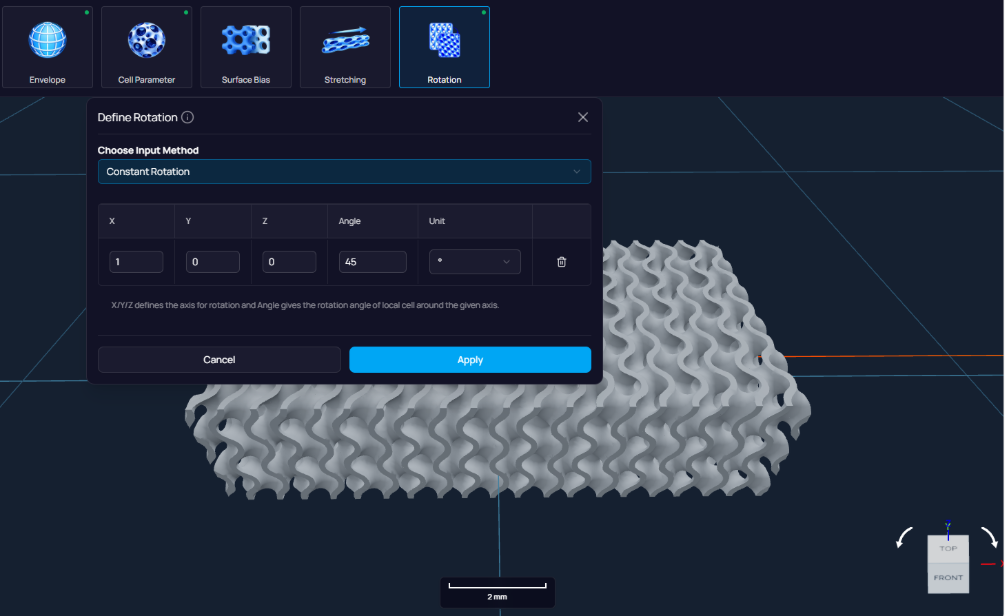
Define Rotation with a Constant Rotation of 45 degrees around the X axis (X set to 1, Y and Z at 0).
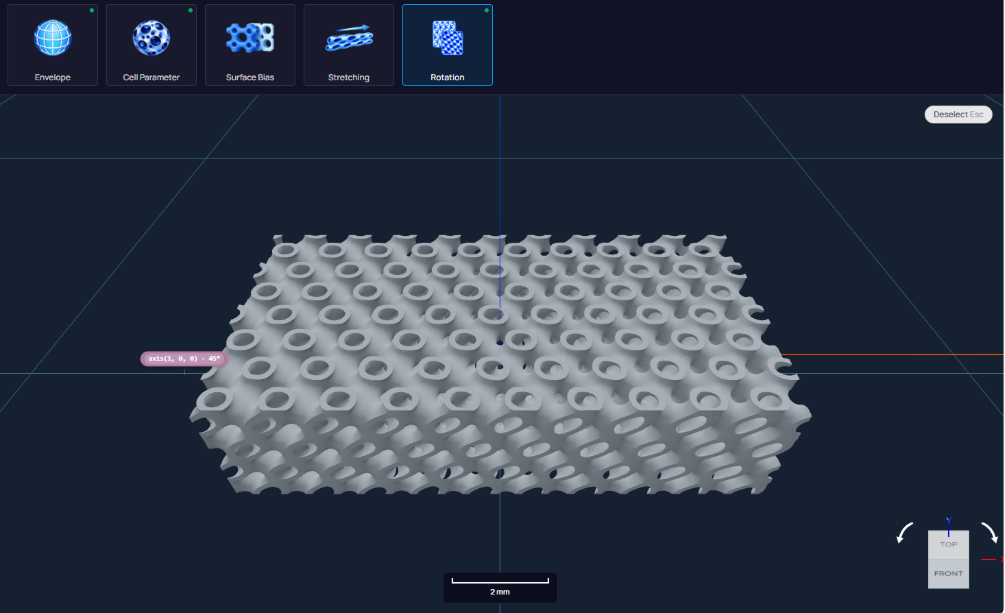
The Gyroid structure after a 45 degree rotation around the X axis.
Comparing Against Diamond
Switching Choose TPMS Type from Gyroid to Diamond, with Equivalent Surface Area still checked and the same 1mm cell size, gives a good sense of how different the underlying geometries are from each other even under matched settings.
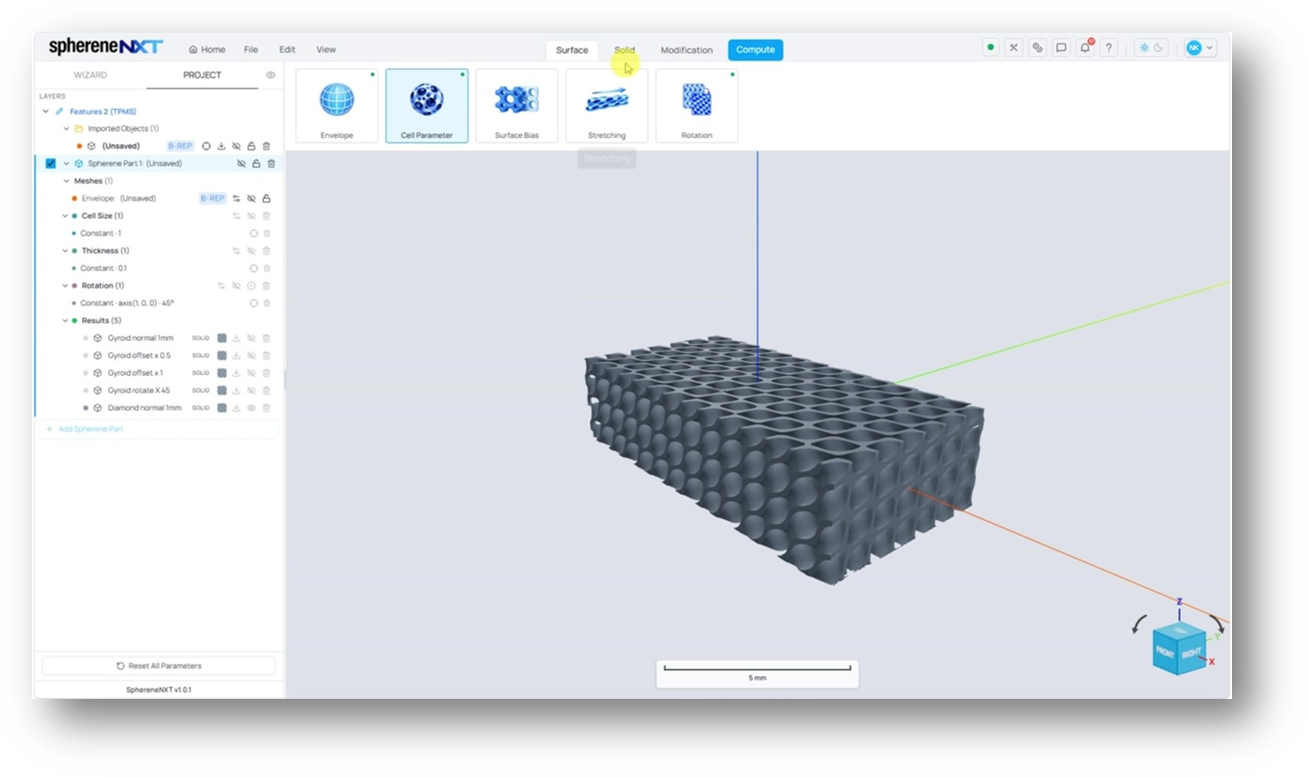
A Diamond TPMS structure at 1mm cell size, computed with Equivalent Surface Area checked.
Quick Reference
|
Step |
What It Does |
Where to Find It |
|
Switch Infill Type to TPMS |
Replaces ADMS with the TPMS geometry family |
Cell Parameter dialog |
|
Choose TPMS Type |
Picks a specific TPMS geometry (Diamond, Gyroid, and others) |
Cell Parameter dialog |
|
Check Equivalent Surface Area |
Matches surface area across TPMS types for fair comparison |
Cell Parameter dialog |
|
Set Offset |
Shifts the TPMS surface in X, Y, and Z |
Cell Parameter dialog |
|
Define Rotation |
Rotates the structure around a chosen axis by a set angle |
Rotation tool |