| v3.2.12(windows) | Hotfix for issue in v3.2.11 for new user: traceback warning of layer visability |
| v3.2.11(windows) | Hotfix for issue: “Check your internet connection” during the first computation for new users. |
|
V3.2.10 (mac) |
|
 |
|
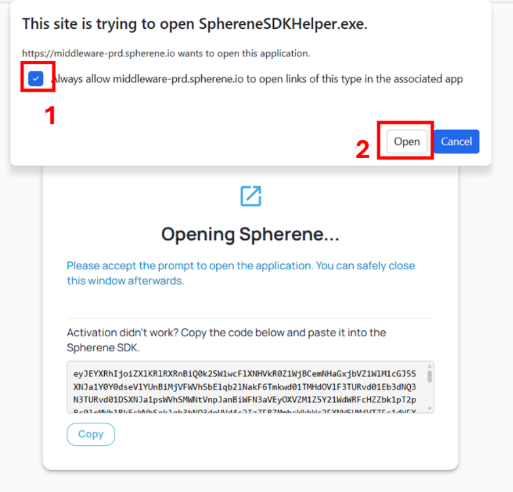
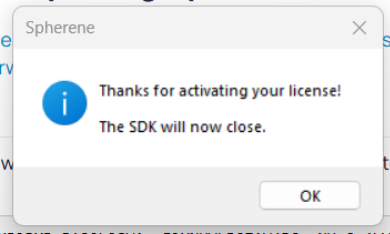
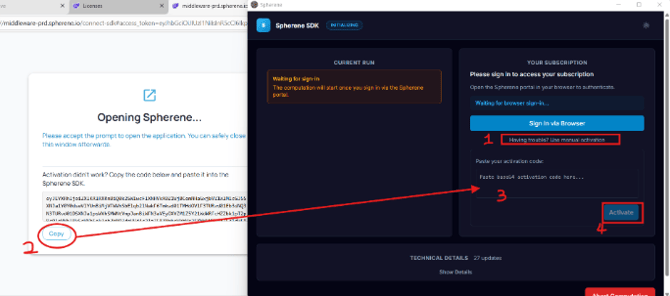
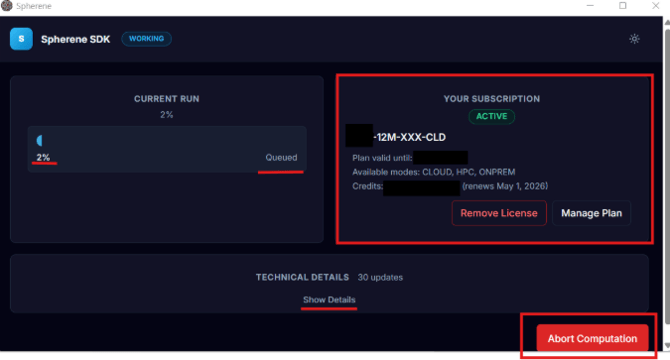
2. License activation — smoother flow
3. Cell size as ADMS control method |
|
|
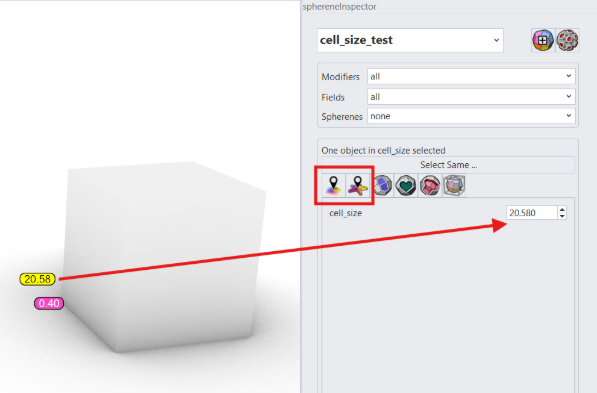
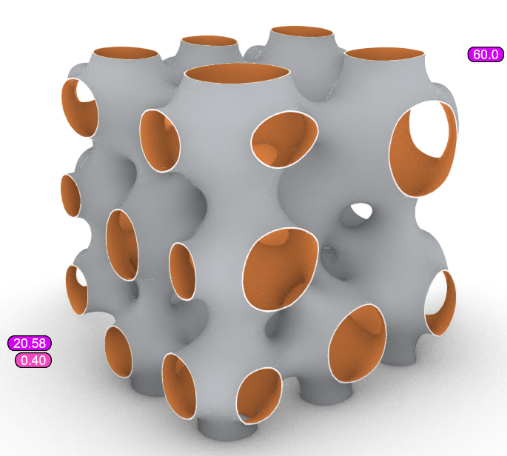
Cell size offers more precise control over local ADMS channel size than density and DRT. A cell size of 5 mm, for example, means the average distance between two adjacent ADMS unit walls is 5 mm. To enable cell size control:
A default cell size and wall thickness are computed automatically from your envelope dimensions. You can adjust the cell size in the Spherene Inspector or assign different values to specific points or geometries.
----------- |
|
| 2.1.3 | Grasshopper: set_trigger for a blocking compute, Preview for fields |
| 2.0.12 | fixed sphe_examples. New booleans on boundary because the handle_naked_edges mechanism can raise to problems on complicated boundaries |
| 1.2.6 | Tweaking dialog for all. Possibilities to configure mesh reduction and to get the labyrinths. New Color Scheme showing the surface conformity, resp. the boundary angles. |
| 1.2.17 | non-blocking grasshopper compute |
| 1.2.15 | z_thickness_factor in advanced settings |
| 1.2.14 | Grassshopper: error messages showing grasshopper-wise |
| 1.2.11 | macos one multiple window problem fixed |
| 1.0.3 | some message texts changed |
| 1.0.2 | unknown error message instead of showing real error message |
| 1.0.1 | show license, lossless compression support |
| 0.9.7 | messages with argument fixed |